Location Security Restrictions Delivery Will Be Reattempted
Waiting for a package can feel like a rollercoaster. You’re eagerly watching the tracking updates, and then a cryptic message pops up: “No Access” or “Delivery Exception”. It’s frustrating, but it usually doesn’t mean your package is lost. Often, it’s just a temporary snag. An alert like location security restrictions delivery will be reattempted is a perfect example of a temporary delay that has a straightforward resolution.
Whether you’re an occasional shipper or run a small business, understanding these terms can save you a lot of headaches. Let’s break down the most common delivery exceptions so you know exactly what’s happening and what to do next.
When a Driver Can’t Reach Your Door: Understanding “No Access”
One of the most common holdups is when a carrier physically cannot get to your mailbox or front door. This isn’t a failed delivery attempt in the traditional sense; it’s a failed approach.
What is “No Access to Delivery Location”?
This status means something blocked the carrier from reaching your property. The good news is that you usually don’t need to do anything. The carrier will automatically try again on the next business day. However, it helps to identify and remove the obstacle if you can.
Common reasons for a “No Access” scan include:
- Blocked Mailbox or Receptacle: A parked car, a garbage can, or snow buildup can prevent the carrier from getting to your mailbox. It’s actually illegal under federal law to knowingly obstruct mail delivery. Keeping the area around your mailbox clear helps ensure consistent service.
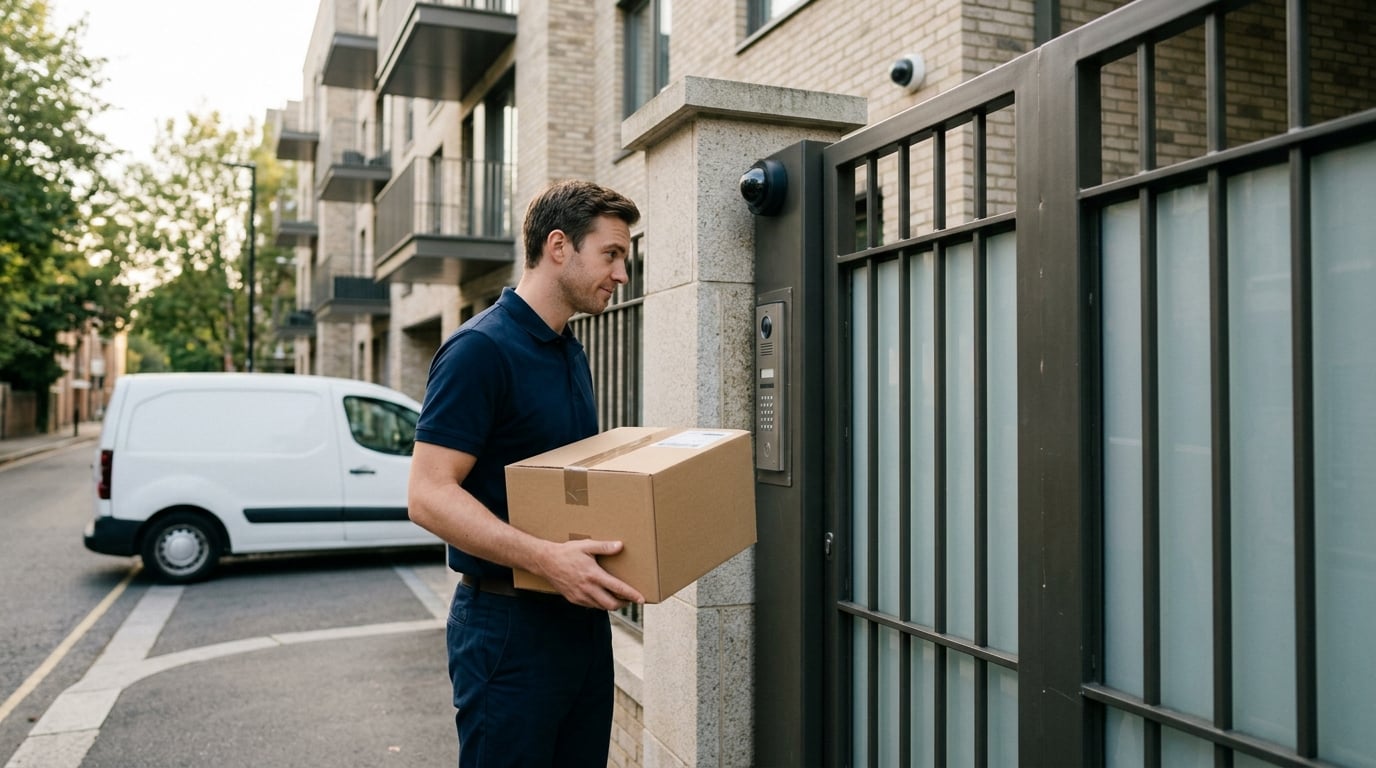
- Gated Community or Locked Gate (Access Code Needed): If you live behind a locked gate or in a secure building, the carrier needs a way in. If they don’t have the gate code or a key, they can’t complete the delivery. In these cases, it’s a good idea to provide the access code in the delivery instructions when you place an order.
- Animal Interference: An unsecured pet, most often a dog, can prevent delivery. Carrier safety is a top priority, and they will not approach if they feel threatened. With over 5,300 USPS mail carriers attacked by dogs in 2022 alone, this is a serious issue. Securing your pets during delivery hours is the best solution.
- Emergency Responder or Utility Work Blockage: Sometimes the issue is out of your control. Police activity, firefighters responding to an emergency, or a utility crew closing the road will all prevent access. Once the area is clear, delivery will resume, usually the next day.
No Access vs. Delivery Attempt: What’s the Difference?
Understanding this distinction is key.
- No Access means the driver could not get to your location to even try delivering the package. As a result, they typically can’t leave a paper notice. The carrier will automatically try again the next business day.
- A Delivery Attempt (Notice Left) means the driver successfully reached your address but couldn’t hand off the package for a specific reason, like needing a signature. They will leave a paper notice, and you will need to take action to get your package.
When a Driver Arrives But Can’t Leave the Package
Sometimes the driver makes it all the way to your door, but the delivery still can’t be completed. In these cases, you’ll find a notice left behind, and the next steps are up to you.
Notice Left (No Authorized Recipient Available)
This status means your package requires a signature, and nobody was home to provide one. The carrier will leave a form (for USPS, it’s the peach colored PS Form 3849) and take the package back to their facility.
No Secure Location Available
Here, a signature wasn’t required, but the carrier decided there was no safe place to leave the item. This could be due to bad weather, a high traffic area, or the risk of theft. With porch piracy causing over $19 billion in losses in the U.S. over the last 12 months (as of November 2022), carriers are understandably cautious—see our tips on preventing porch pirates.
Receptacle Full or Item Oversized
This one is simple: your mailbox was too full, or the package was too large to fit. The carrier couldn’t securely place the item in its designated receptacle, so they took it back for you to retrieve later.
Why There’s No Automatic Second Attempt
For all these “Notice Left” scenarios, there is no automatic second attempt for a secure location or signature required delivery. The logic is that the situation (nobody home, no safe spot) is unlikely to change without your input. The ball is now in your court. If you’re the sender, consider including a prepaid return label next time to simplify missed deliveries and returns.
Understanding Your Next Steps and Tracking Updates
After a delivery exception, your tracking page will update with a new status. Here’s what the most common ones mean and what action you should take.
Delivery Reattempt Next Business Day
This is a positive update that often follows a “No Access” issue. It means the carrier still has your package and will try to deliver it again on the next weekday (barring USPS holidays). When you see a notice about location security restrictions delivery will be reattempted, this is typically the next status you can expect.
Recipient Location Security Delay
This is a specific FedEx status you might see. It means the delivery was held up by security protocols at the destination, like a corporate office, a government building, or a military base. If you’re shipping to a workplace, confirm the address format—see our office address guide. A recipient location security delay is a prime example of a situation where you would see that location security restrictions delivery will be reattempted message. You generally don’t need to do anything, as FedEx will try again.
Reschedule or Redirect Delivery
These are powerful tools that put you in control.
- Reschedule Delivery: After a missed attempt, you can go online and schedule a redelivery for a day when you know you’ll be home.
- Redirect Delivery: Services like UPS My Choice and FedEx Delivery Manager let you change the delivery location. You can send the package to your office, a neighbor, or a nearby carrier pickup point (like a UPS Access Point or FedEx Office).
Schedule Redelivery
For USPS packages, using the “Schedule Redelivery” option on their website is the fastest way to get your item. It’s a free service where you can use the tracking number from your notice to select a new delivery date. If you’re unsure where to find it, see Your Shipping Label: A Complete Guide.
Available for Pickup
This status means a delivery was attempted, and the package is now waiting for you at a local carrier facility or post office. This is your cue to go and retrieve it. Carriers don’t hold packages forever; for instance, UPS will typically hold a package at an Access Point for 7 calendar days before returning it to the sender.
Held at Post Office
Similar to “Available for Pickup”, this means your package is at the post office. This could be at your request (if you used a Hold Mail service) or after a failed delivery. USPS usually holds packages for about 15 calendar days before they are returned. For peace of mind, it is best to act quickly.
Pick Up Package (with Photo ID)
Whenever you go to a facility to retrieve a package, you must pick up the package with a photo ID. This is a standard security measure to ensure the package goes to the correct person. A driver’s license, state ID, or passport are all acceptable forms of identification.
Contact Carrier or Sender
If your tracking hasn’t updated in several days or you see a confusing status, it’s time to reach out. Have your tracking number ready and contact the carrier (like USPS or UPS) for clarification. If the package is being returned, you should contact the sender (the person or company you bought from) to arrange for a reshipment or refund.
Tracking Updates and Informed Delivery
The best way to stay on top of your deliveries is to use the tools available. You can sign up for text or email alerts directly from the carrier’s website. For USPS, the Informed Delivery service is a fantastic free tool that emails you images of your incoming letter mail and provides tracking notifications for packages arriving soon.
Finding the right shipping service from the start can prevent many of these issues. A free tool like the Online Shipping Calculator lets you compare rates from different carriers to find the one that best fits your needs, potentially saving you both time and money.
Frequently Asked Questions
1. What does it mean when a delivery is delayed by location security restrictions?
This typically means the carrier could not access the delivery location due to a security checkpoint, a locked gate, or a secure building’s policies. The message location security restrictions delivery will be reattempted indicates they will try again, usually on the next business day.
2. Will my package be delivered if the tracking says location security restrictions delivery will be reattempted?
Yes, in most cases. This status is a notification of a temporary delay, not a final failure. The carrier will make another attempt to deliver your package, so you should see it back out for delivery soon.
3. How do I fix a “No Access to Delivery Location” issue?
First, try to identify the cause. Is a car blocking your mailbox? Is your dog outside? Is a gate locked? If it’s something you can control, clear the obstruction before the next business day’s delivery attempt. If you can’t, the issue may resolve itself (like a road closure clearing up).
4. What’s the difference between “Held at Post Office” and “Available for Pickup”?
They are very similar and often used interchangeably. “Held at Post Office” can sometimes mean the hold was requested by you (like a vacation hold), while “Available for Pickup” almost always means it’s there following a failed delivery attempt. In either case, it means you need to go to the post office to get your package.
5. Why didn’t the delivery driver leave a notice?
If the driver couldn’t physically reach your door or mailbox due to an obstruction (a “No Access” situation), they are unable to leave a physical notice. You will need to rely on the online tracking information for updates.
6. How long will a carrier hold my package before returning it?
Hold times vary. USPS generally holds packages for 15 calendar days. UPS Access Point locations will hold packages for up to seven calendar days, and shipments held at a UPS Customer Center are considered undeliverable after seven calendar days.
7. Can I prevent these delivery problems from happening?
While you can’t prevent every issue, you can take steps to minimize them. Always double check your shipping address or submit a USPS address change if you’ve moved recently, include gate codes in delivery instructions, and secure pets. If you ship often, comparing services on a site like the Online Shipping Calculator can help you choose carriers with more flexible local delivery options.