USPS Mail Print Label: How to Create and Save in 2026
TL;DR
A USPS mail print label is a prepaid shipping label you create online and print yourself, skipping the post office counter entirely. You can print at home, use a QR code at a Post Office kiosk, or have USPS mail the label to you. Every label purchased through USPS Click-N-Ship now automatically receives commercial pricing, saving you roughly 12-17% compared to retail counter rates. Third-party platforms can push those savings even deeper.
Printing your own USPS shipping label is one of the simplest ways to save money and time on packages. Yet the process confuses a lot of people, partly because USPS overhauled its entire label system in 2024-2025, and partly because the savings structure has multiple tiers that nobody explains clearly.
This guide covers everything: what a USPS printed label actually is, how to get one through each available method, what it costs at each pricing tier, and where most people leave money on the table.
Compare shipping rates across carriers before buying your next label to make sure you’re getting the best price.
What Is a USPS Mail Print Label?
A USPS mail print label is a prepaid shipping label created through an authorized online channel, paid for electronically, and either printed by the user or generated as a scannable QR code. It replaces the process of waiting in line at the post office counter, writing out addresses by hand, and paying full retail price.
The standard label size is 4" x 6", which works across USPS, UPS, and FedEx. You can print it on regular 8.5" x 11" paper (then cut and tape it to your package) or on dedicated thermal label stock.
The official USPS tool for creating these labels is Click-N-Ship, though legitimate USPS labels can also be purchased through approved third-party software like Stamps.com and Pirate Ship. For a deeper look at every element on a label, read our complete shipping label guide.
The critical thing that changed recently: as of February 2025, every Click-N-Ship user, whether personal or business, automatically receives commercial pricing on their labels. This used to require a business account or high shipping volume. Now it’s free for everyone.
How Enhanced Click-N-Ship Works (the 2024-2025 Overhaul)
USPS launched Enhanced Click-N-Ship (internally called CNSv2) on July 14, 2024, and completed the full transition by February 27, 2025. The legacy system is gone.
The upgrade brought several meaningful improvements:
- Commercial pricing for all users automatically applied at checkout
- Batch label creation with file upload (up to 10 labels at a time)
- Expanded payment options including Apple Pay and Click-to-Pay
- Online address book storing up to 1,000 addresses
The transition was not smooth for everyone. Practitioners on eBay community forums reported that the new interface caused double charges when payments appeared not to go through, forcing users to call USPS’s 800 number to void duplicate labels. The navigation changed significantly, and finding the void/refund function was unintuitive for many users during the rollout.
These issues have largely been resolved, but it’s worth knowing that the interface you see today looks nothing like the old Click-N-Ship.
How to Print a USPS Shipping Label: 3 Methods
Method 1: Print at Home
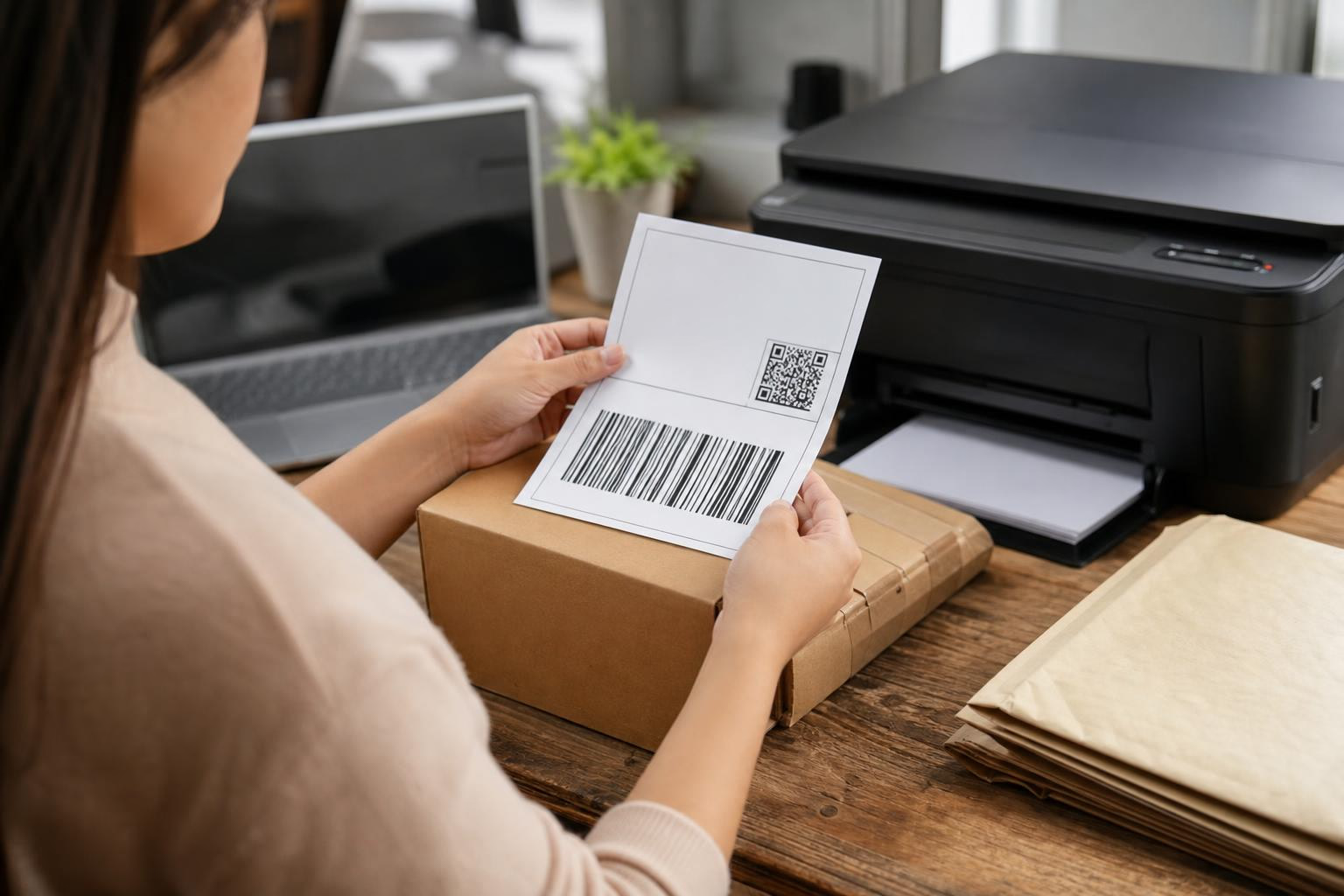
This is the most popular approach. Log into USPS.com, open Click-N-Ship, enter your package details and destination, pay, and download the label as a PDF.
Printer requirements:
- Laser printers work best
- Inkjet printers need at least 600 DPI for reliable barcode scanning
- Thermal printers (4" x 6" direct thermal) are the gold standard for anyone shipping regularly, since they use heat instead of ink and never need cartridge replacements
If you’re using regular paper, print the label, cut it out, and tape it securely to your package. One important rule: do not tape over the “Postal Use” area or cover the barcodes. Tape makes it difficult for USPS processing equipment to read them.
Shipping more than a few packages a month? A thermal printer pays for itself quickly. See our picks for the best shipping label printers.
Method 2: Label Broker QR Code (No Printer Needed)
If you don’t have a printer, USPS Label Broker lets you create your label online and receive a QR code instead of a PDF. Bring that QR code (on your phone or printed on paper) to a participating Post Office with a Label Broker counter or self-service kiosk, and they’ll print the physical label for free.
You can store up to 11 labels in a single QR code. The catch: Label Broker is only available for domestic shipments within the United States.
Method 3: Label Delivery Service
For $1.65 per label, USPS will mail a physical shipping label directly to your address. This works for people who can’t get to a Post Office and don’t have a printer, though the delay means it’s only practical for non-urgent shipments.
Once your label is attached, you can schedule a free USPS pickup from your door instead of making a trip to the Post Office.
What You Need Before Creating a Label
Before you start, gather these:
- A free USPS.com account (takes about two minutes to create)
- Accurate package weight and dimensions. This matters more than most people realize. Incorrect dimensions trigger dimensional weight surcharges or adjustment fees. Weigh and measure carefully.
- Destination ZIP code
- Payment method: credit card, debit card, PayPal, Apple Pay, or Click-to-Pay
Getting the address right the first time prevents delays and returns. Our guide on how to address a package walks through the formatting USPS expects.
USPS Services You Can Print Labels For
Click-N-Ship supports labels for the following domestic and international services:
| Service | Typical Delivery Time |
|---|---|
| Priority Mail Express | 1-3 business days |
| Priority Mail | 2-3 business days |
| USPS Ground Advantage | 2-5 business days |
| International services | Varies (180+ countries) |
What You Cannot Buy Through Click-N-Ship
This is where most guides fall short. Several USPS services are not available through Click-N-Ship at all:
- Media Mail (popular for books and educational materials)
- Certified Mail
- Registered Mail
- Library Mail
- Bound Printed Matter
For Media Mail specifically, you either need to visit the post office counter or use a third-party platform like Pirate Ship, which does support it. Check current rates for every USPS service in our USPS shipping rates guide.
Retail vs. Commercial vs. Commercial Plus Rates: Why This Matters Most
This is the single most important thing to understand about printing USPS labels online. There are three pricing tiers, and the difference between them is significant.
Retail Rates
What you pay at the post office counter. This is the most expensive option, full stop. Practitioners on reseller forums are blunt about this: if you’re buying postage at the counter, you are overpaying by 25-32% on every package.
Commercial Base Rates (Click-N-Ship)
This is what every Click-N-Ship user now receives automatically. The savings are real. Sending a Priority Mail package weighing 1 lb to Zone 3 costs roughly $8.15 through Click-N-Ship versus $9.50 at the retail counter, about a 14% discount. Ground Advantage and First-Class Package labels save 12-17% compared to retail pricing.
Why does USPS offer this? Because every label printed online is a transaction that doesn’t require a postal clerk, a register, or counter time. USPS saves on labor costs and passes some of that back.
Commercial Plus Rates (Third-Party Platforms)
This is the tier most people don’t know about. Platforms like Stamps.com and Pirate Ship negotiate volume discounts with USPS and pass them along to individual users. The result is pricing deeper than what Click-N-Ship offers.
Pirate Ship, for example, unlocks Priority Mail Cubic Pricing, which isn’t available through USPS directly. For small, heavy items, Cubic pricing can save up to 40% compared to retail.
In our recent rate quotes across 9,000+ shipping scenarios, buying labels online commonly saves 50-88% compared to walking into a retail carrier store. The gap is largest on lightweight parcels and smallest on heavy packages going short distances.
See the latest shipping discounts available through discounted label platforms.
The USPS Advantage Nobody Talks About
USPS charges no residential delivery surcharge. UPS and FedEx both add $4-$6 per residential package. If you’re shipping to homes (which most e-commerce sellers are), this alone can make USPS the cheapest option for lighter parcels, even before factoring in commercial rate discounts.
A Real-World Savings Example
A woodworker on the WoodBarter forum shared his 2025 shipping data from Pirate Ship: 66 shipments totaling $864 ($13 per shipment average), with reported savings of $880 for the year compared to retail counter prices. For his biggest box, Pirate Ship quoted $24 via UPS versus $34 for USPS Ground and $69 for Priority Mail. In-store UPS prices were dramatically higher for the same packages.
One commenter on EcommerceBytes put it simply about Pirate Ship: “most postage gets a discount” and “I have used it 100’s of times and NO problems at all.”
2026 Rate Context
USPS raised parcel rates twice in 2026: a 7.8% Ground Advantage hike in January and an 8% temporary surcharge in April. At the same time, commercial rates for 10-20 lb Ground Advantage packages dropped up to 26%. The lesson: rates shift constantly, and commercial pricing through software matters more than ever.
For most personal shippers, Stamps.com is the easiest path to discounted USPS labels printed from home. For a free alternative with Commercial Plus pricing, Pirate Ship is legitimate and well-reviewed by the shipping community.
Click-N-Ship Limitations Worth Knowing
Click-N-Ship is a solid free tool, but it has meaningful gaps compared to third-party label platforms:
- No e-commerce platform integration. It doesn’t connect to Etsy, eBay, Shopify, or any marketplace.
- USPS only. You can’t compare UPS or FedEx rates or print their labels.
- 10-label batch maximum. High-volume sellers hit this ceiling fast.
- No automation rules. Every label requires manual entry.
- Missing services. Media Mail, Certified Mail, and others aren’t available.
For anyone shipping more than a handful of packages per week, these limitations push you toward third-party software anyway, which is where you also unlock deeper discounts. Learn more about how multi-carrier software advantages stack up.
How to Void and Refund an Unused USPS Label
Mistakes happen. Here’s the refund process:
- Within 30 days of the print date: You can void the label directly from your Click-N-Ship Shipping History dashboard.
- 31-60 days after the print date: You’ll need to email the USPS help desk to request the void.
- After 60 days: The label is no longer eligible for a refund.
Important policy change (October 2025): USPS now imposes a 14-day hold before processing any refund for voided shipping labels that were never scanned. This means you won’t see the money back immediately. If cash flow matters to you, plan accordingly.
All USPS printed labels must be used within 30 days of creation. After that, they expire and you’ll need to void and repurchase.
Common Mistakes When Printing USPS Labels
Taping over barcodes. Tape creates a reflective surface that USPS scanning equipment can’t read. Tape around the label edges, not across the barcode or “Postal Use” section.
Wrong dimensions. Entering incorrect measurements triggers dimensional weight pricing adjustments or a $3 fee. Always measure the outer dimensions of the actual box you’re shipping, not the product inside. Avoid surprises by learning how to calculate shipping costs accurately before printing.
Printing too small. If your label looks undersized on the printout, check your printer settings. Make sure “Fit to page” or scaling is turned off. The label should be approximately 4" x 6" when printed.
Ignoring third-party savings. The biggest mistake is paying retail or even commercial base when Commercial Plus rates are available for the same service, same speed, same tracking. The only difference is the price.
Not comparing carriers. USPS isn’t always cheapest. In our rate quote analysis, UPS was the most affordable option in roughly 72% of scenarios, particularly for heavier packages. USPS tends to win consistently only for parcels under about 1 lb. Rates change frequently, so compare rates live before committing.
Frequently Asked Questions
Can I print a USPS label without a printer?
Yes. Use USPS Label Broker to generate a QR code, then take it to a participating Post Office with a Label Broker counter or self-service kiosk. They’ll print the label for free. This only works for domestic shipments.
Do I need a business account for commercial pricing?
No. Since the Enhanced Click-N-Ship launch, all personal accounts automatically receive commercial pricing. This was one of the biggest changes in the 2024-2025 overhaul.
Can I use my own box?
Yes, for non-flat-rate services like Ground Advantage and regular Priority Mail. Any sturdy box works. If you want to use USPS Flat Rate boxes, those are free from USPS but can only be used with the corresponding Flat Rate service. Learn more about how USPS prepaid labels work with different box types.
How long is a USPS printed label valid?
30 days from the date of creation. If you don’t use it within that window, you’ll need to void it and create a new one.
Is a USPS mail print label cheaper than the post office counter?
Always. Commercial base pricing through Click-N-Ship saves 12-17% on most services compared to retail counter rates. Third-party platforms that offer Commercial Plus rates save even more, sometimes 25-40% depending on the service and package characteristics.
Can I print labels for international shipments?
Yes, Click-N-Ship supports international labels to over 180 countries. However, the Label Broker QR code option is domestic only. For international packages, you’ll need to print the label and customs forms at home.
What’s the cheapest way to print a USPS shipping label?
Use a third-party platform that offers Commercial Plus rates, like Stamps.com or Pirate Ship. These platforms access deeper USPS discounts than Click-N-Ship provides, and often include UPS and FedEx rates so you can compare across carriers on a single screen.
What happens if I print a label but never use it?
You can void it within 30 days directly through your Click-N-Ship dashboard, or within 60 days by contacting USPS support. As of October 2025, there’s a 14-day hold before the refund processes. Unused labels that aren’t voided within 60 days are not eligible for a refund.