
How to Ship a Graphics Card Without Original Box — 2026
So, you sold your old GPU or you’re sending one to a friend, but the original packaging is long gone. Don’t worry. To ship a graphics card without the original box, you must protect it from static electricity with an anti-static bag, cushion it with anti-static bubble wrap, and immobilize it inside a sturdy, double-boxed container. Following these key steps will ensure your valuable hardware arrives in one piece.
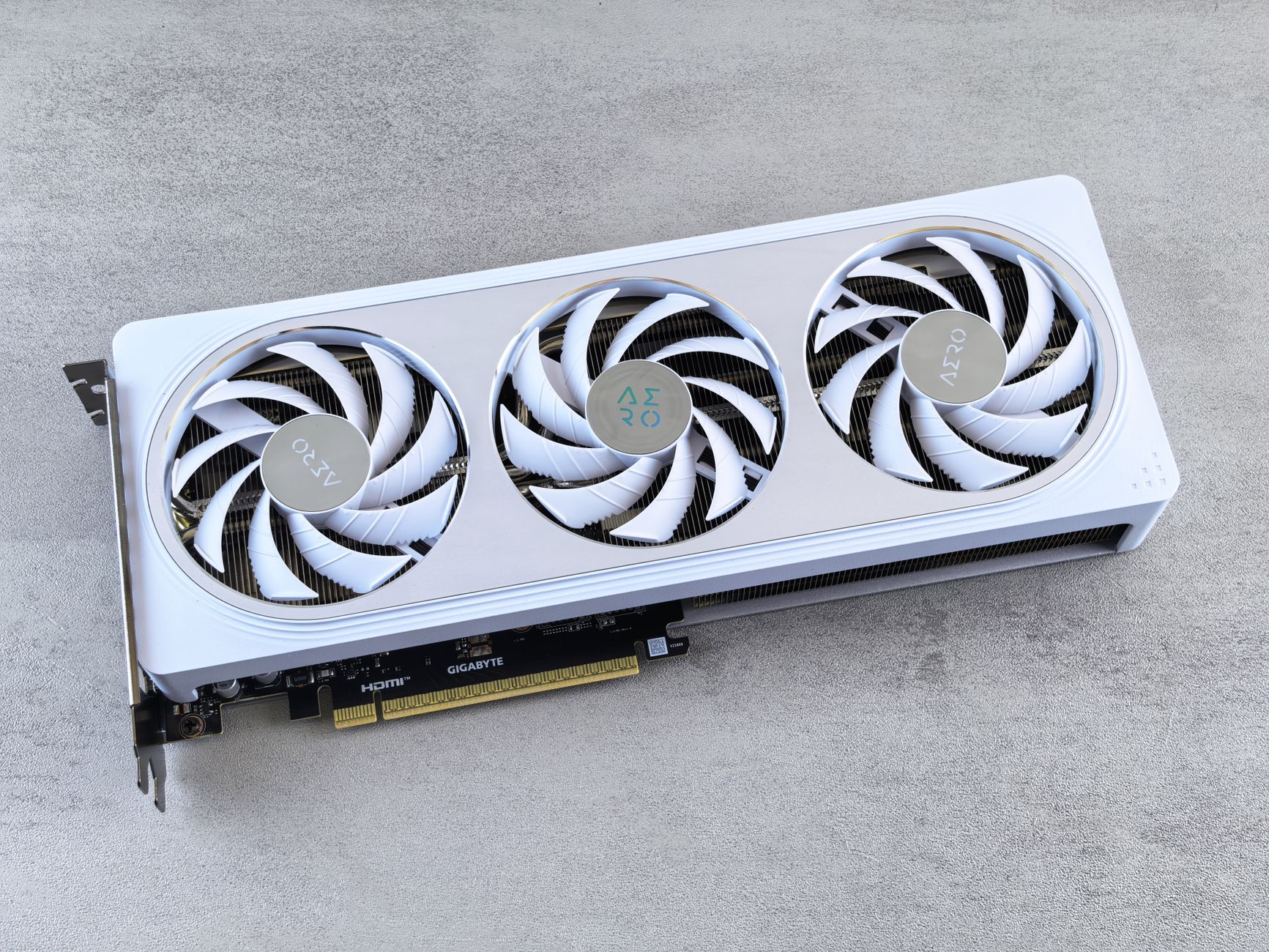
A graphics card is a dense, heavy, and surprisingly fragile piece of tech. The circuit board can flex, the cooling fans can break, and the electronic components are extremely sensitive to static electricity. Tossing it in a random box with some packing peanuts just won’t cut it. This guide walks you through every step to pack your GPU like a pro, ensuring it stays safe from static, shocks, and moisture.
Part 1: Anti Static Protection is Non Negotiable
Before you even think about a box, you need to protect the card from electrostatic discharge (ESD). That invisible zap of static electricity can permanently fry the sensitive electronics. In fact, ESD damage is responsible for an estimated 25% of all electronic part failures.
ESD Handling Basics
Proper ESD handling just means taking precautions to avoid building up static electricity. The most critical step for shipping is using the right materials. Never wrap a graphics card directly in regular plastic or standard bubble wrap, as these can generate static.
The Anti Static Bag
This is your first and most important line of defense. An anti static bag is specifically designed to create a protective shield (like a Faraday cage) that prevents static charges from reaching the components inside. A tiny static discharge of just 30 to 100 volts, often too small for a person to feel, is enough to destroy sensitive circuits. Place the GPU inside a correctly sized anti static bag and seal it.
Anti Static Bubble Wrap
Once the GPU is safely inside its anti static bag, you need to cushion it. This is where anti static bubble wrap comes in. It’s usually pink and has a special coating that prevents it from generating static electricity, unlike its standard clear counterpart. Wrap the bagged GPU in several layers of anti static bubble wrap, securing it with tape so it’s snug.
Part 2: Building a Secure Shell
With the GPU protected from static, the next challenge is protecting it from physical damage. This is a common point of failure when figuring out how to ship a graphics card without original box.
Why You Must Avoid Padded Envelopes
First, a quick warning: never use a padded envelope or bubble mailer. They offer zero structural protection from crushing or bending. Automated sorting machines and the weight of other packages can easily snap a GPU in half inside a flimsy mailer. Always use a proper box.
Find a Sturdy Corrugated Box (32 ECT)
The best choice for your outer shipping container is a new or like new corrugated box with a 32 ECT rating. ECT stands for Edge Crush Test, and a 32 ECT rating means the box can withstand 32 pounds of pressure per inch on its edges before collapsing. This is a standard, strong shipping box that provides good protection.
Use the Double Boxing Method
For an expensive item like a GPU, double boxing is highly recommended. This involves placing the item in a smaller inner box, and then placing that inner box inside a larger outer shipping box with cushioning in between. The outer box should be at least six inches longer, wider, and taller than the inner box, leaving about three inches of space for padding on all sides. If your inner box happens to fit a Priority Mail flat-rate size, compare costs using our USPS Flat Rate Boxes guide before you buy a label.
How to Make an Inner Box
Since you don’t have the original packaging, you’ll need to create a snug inner box. Find a small, sturdy box that the bubble wrapped GPU fits into with minimal extra space. The goal is to fill any small gaps inside this inner box so the card cannot shift around at all.
Part 3: Cushioning and Immobilizing the GPU
Proper cushioning is what absorbs shocks from drops and impacts during transit. This is a vital part of how to ship a graphics card without original box successfully.
The Two Inch Clearance Rule
A key guideline for packing fragile items is to ensure there are at least two inches of cushioning material between your item (or its inner box) and the walls of the outer shipping box. This two inch buffer zone absorbs impact energy before it reaches your GPU.
Fill All Void Space
Any empty space inside your shipping box is a problem. During transit, your inner box could slide around in that empty space, creating damaging secondary impacts. Fill every single gap with cushioning material. Gently shake the box when you think you’re done. If you feel or hear any movement, add more filler.
Immobilize the GPU Completely
The ultimate goal is to immobilize the GPU. It should be suspended in the center of the outer box, unable to move in any direction. This is achieved by using a snug inner box and then tightly packing void filler around it. A GPU that can’t move can’t gain momentum and slam into the side of the box.
Consider Closed Cell Foam for Cushioning
For premium protection, closed cell foam is an excellent choice. Materials like polyethylene foam are firm, dense, and fantastic at absorbing shock and vibration. Unlike spongy open cell foam, it doesn’t compress as easily, making it ideal for heavier items. You can line your inner box with it to create a custom cradle for the graphics card.
Part 4: Adding Extra Layers of Protection
A few extra, inexpensive steps can save you from common shipping disasters like water damage.
Remove Loose Accessories
If you are shipping any accessories like video adapters, cables, or brackets, pack them separately. Do not leave them attached or loose in the box. A loose metal adapter can easily become a tiny wrecking ball inside the package, scratching the PCB or knocking off small components. Wrap them up and place them in the box away from the GPU.
Add a Desiccant Packet
Electronics hate moisture. A package traveling through different climates can accumulate condensation, which leads to corrosion and short circuits. Tossing a small desiccant packet (silica gel) inside the anti static bag is a cheap and effective way to absorb any moisture and keep the air around the GPU dry.
Use a Waterproof Inner Bag
As a final barrier against the elements, you can place the sealed anti static bag inside a waterproof plastic bag (like a large Ziploc or a sealed poly mailer) before wrapping it in bubble wrap. If the outer cardboard box gets left in the rain, this simple step will keep your hardware perfectly dry.
Part 5: Sealing for Security
You’ve done the hard work of packing. Now, let’s make sure the box stays shut and secure.
Use the H Pattern Tape Sealing Method
The standard, carrier recommended way to tape a box is the H pattern. Apply a strip of high quality, pressure sensitive packing tape down the center seam where the flaps meet. Then, apply a strip across each of the two edge seams. This forms a letter “H” and ensures all potential openings are securely sealed.
Consider a Tamper Evident Seal
For extra peace of mind, especially when selling a high value card, you can add a tamper evident seal or tape. This special tape will show obvious signs of being compromised, like leaving behind the word “VOID” if someone tries to peel it off. It provides a clear indicator to the recipient if the package was opened during transit.
Part 6: Shipping, Insurance, and Documentation
The final phase of learning how to ship a graphics card without original box involves the logistics of getting it from you to its destination safely and with accountability. Once it’s all packed up, you can easily compare shipping rates online to find the best carrier and service for your needs. For a 3 to 7 lb GPU, check our side by side guide to see which is cheaper, UPS or USPS.
Add Tracking and Signature Confirmation
Always use a shipping service that includes a tracking number. For an expensive item, you should also add signature confirmation to reduce theft risk. See our tips on preventing porch pirates. This requires the carrier to get a signature from a person at the delivery address instead of just leaving the package on the porch where it could be stolen. Prefer not to make a drop-off? You can schedule a free USPS pickup from your doorstep.
Purchase Shipping Insurance
Don’t assume the carrier will cover the full value of your GPU if it gets lost or damaged. Most standard services like UPS and FedEx only include a default liability of up to $100. For anything more valuable, you must purchase additional shipping insurance. The cost is typically a small percentage of the declared value and is well worth the protection. A quick check on a shipping comparison site like Online Shipping Calculator can help you see which services offer better base coverage. To help offset that cost, learn how to unlock deeper shipping discounts through online label providers.
Document Everything with Photos and the Serial Number
Before you seal the box, document everything.
- Take clear photos of the graphics card from all angles, making sure to get a clear shot of the serial number sticker.
- Take pictures of your packing process, showing the GPU in the anti static bag, wrapped in bubble wrap, and nestled in the cushioning.
- Record the serial number in a safe place.
This documentation is your proof if you need to file an insurance claim or if a buyer disputes the condition or authenticity of the item. It’s a simple step that can save you from a major headache. When you’re ready to print and place the label, see our shipping label guide for formats, sizing, and placement tips.
Frequently Asked Questions
1. What are the absolute must have materials for how to ship a graphics card without original box?
The non negotiable items are an anti static bag, anti static bubble wrap, and a sturdy corrugated box. Without these three things, you are risking almost certain damage from either static or impact.
2. Can I use a shoebox or other flimsy box as the inner box?
It’s not recommended. A shoebox is thin and offers very little structural support. You should use a small but sturdy corrugated box for the inner container to provide a rigid layer of protection.
3. Is it expensive to ship a graphics card?
Shipping costs depend on the package weight, dimensions, destination, and service speed. Here’s exactly how shipping costs are calculated. A typical GPU package might weigh between 3 and 7 pounds. The best way to find the cheapest rate is to use a multi carrier tool to compare shipping prices from services like USPS Ground Advantage, UPS Ground, and FedEx Ground.
4. How do I know if my box is strong enough?
Look for the manufacturer’s seal on the bottom flap of the box. It will often state the box’s strength rating. You should look for a box rated at least “32 ECT” for adequate protection.
5. Is shipping insurance really worth it for a used GPU?
Absolutely. If the GPU is worth more than $100, you should always buy insurance for its full replacement value. Standard carrier liability is very limited, and without insurance, you would be out of luck if the package is lost or damaged by the carrier.
6. I followed all the steps for how to ship a graphics card without original box, what’s next?
After securely packing and sealing your box, weigh and measure it. You can then visit a site like Online Shipping Calculator to enter your package details and compare the costs and transit times for different carriers to find the best option for your budget and needs. Sending the GPU overseas? Read our quick guide on how to ship internationally (forms, duties, and carrier options).